Why Your Cafe Menu Should Not Be a PDF
A menu published as a PDF or a photo is invisible to search, unreadable on a phone and expensive to change. Here is what a real menu page looks like instead.
- Menus
- 11 min read
- 2,633 words
- 5 questions answered
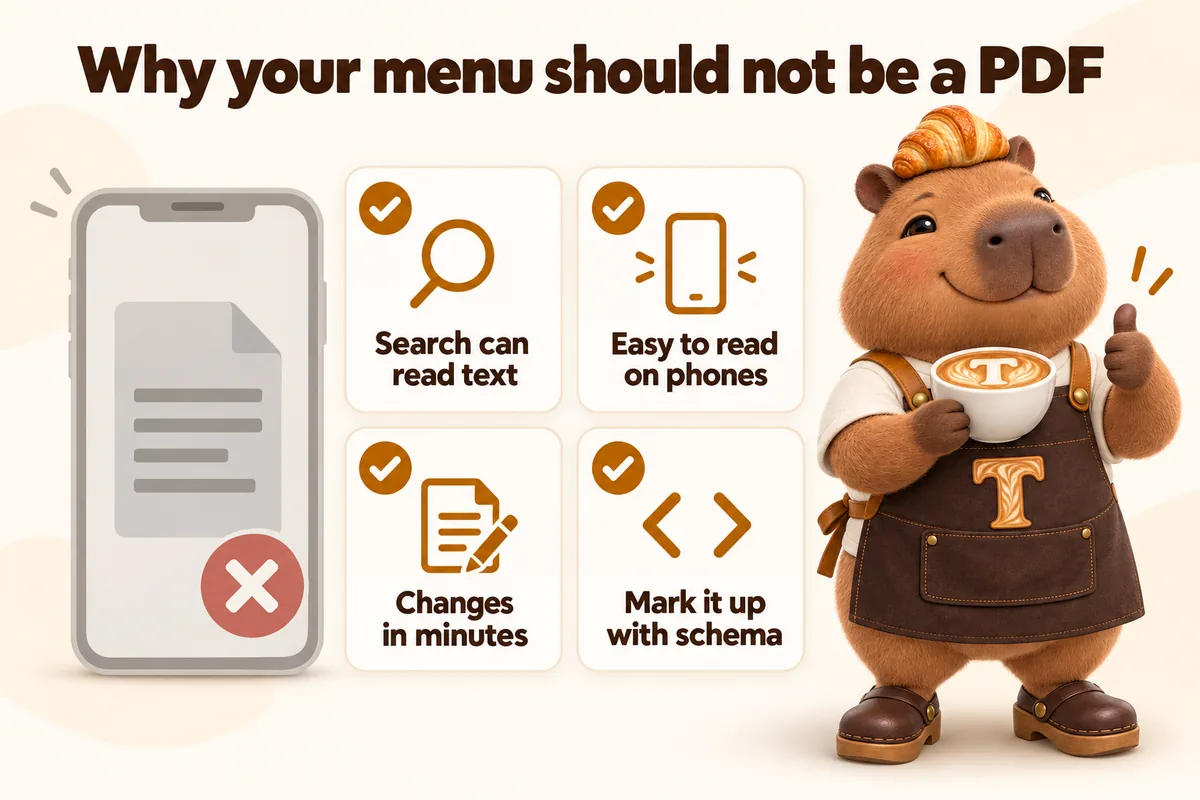
A menu published as a PDF is not a menu on a website. It is a document sitting next to one. The distinction matters because everything a menu page is supposed to do, get found when someone searches a specific drink, read well on a phone held one-handed outside your window, be changed in two minutes when a price moves, be readable by someone who needs larger text, is exactly what a PDF cannot do. The same goes double for a photograph of the printed menu, which is the version we see most often on independent cafe sites. This is what to build instead.
What actually goes wrong with a PDF menu
The text is not on the page
This is the core problem and everything else follows from it. When a search engine reads your menu page, it reads the words on the page. A link to menu-autumn-final-v3.pdf is a link to a separate file. Even where the contents of such a file can be processed, they are not part of the page a person landed on, they are not connected to the page’s own structure, and they are not what gets shown in a result.
The practical consequence for a cafe is direct. People search for specific things: a drink, a dietary requirement, a pastry by name, a bean origin. Those searches can only match text that exists as text on your page. If your entire offering lives inside an attachment, the site has nothing to match.
It fails on the device people actually use
Someone deciding whether to come into your shop is very often standing outside holding a phone, or sitting on a bus ten minutes away. A PDF laid out for an A4 page opens on a phone as a full page shrunk to fit a screen a fifth of the size. The text is around three or four points on screen. Reading it requires pinching in, then dragging around to follow the columns, then pinching out to find the next section.
Nobody does this. They close it and look at your listing on a delivery platform instead, which has a menu that works.
It cannot be resized, read aloud or recoloured
The accessibility requirement for resizing text is that text can be scaled up to 200 percent without loss of content or function. Text in a PDF laid out for print does not reflow when scaled; it just gets bigger and goes off the edges. Text inside a photograph cannot be scaled at all in any meaningful sense, because it is not text, it is pixels.
The same goes for a screen reader, for a browser’s reader mode, for anyone who has increased their system font size, and for anyone who inverts colours. The contrast requirement applies to text on a page and is something a build can guarantee. It cannot be guaranteed inside a flattened image of a hand-lettered board, however beautiful the board is.
This is not an edge case for a cafe. Larger text and higher contrast are settings a great many people use routinely, and a menu that breaks under them is a menu a portion of your neighbourhood cannot read.
It is slow
A print-resolution PDF is frequently several megabytes, and a photograph of a menu board straight off a phone can be more. Either one is by far the largest thing on the page. Largest Contentful Paint is the measure of how long the main content takes to appear, and on a menu page the main content is the menu. Loading it as a heavy separate file makes the page feel slow at the exact moment somebody is deciding whether to bother.
It is expensive to change
This is the one owners feel most, even when they have never thought about the others. Changing a price in a PDF means opening the design file, finding the right version, editing it, exporting, uploading, replacing the link and clearing the cache so people stop seeing the old one. If the person who made the original file has left, or made it in software nobody else has, the whole thing becomes a small project.
Changing a price on a real menu page is editing a line. That difference compounds into how current your menu stays over a year, which is the thing that actually determines whether people trust the page.
What a real cafe menu page looks like
Sections that follow the counter, not the print layout
Group the page the way you group the counter and the way people ask: espresso, filter, other drinks, pastries, food, retail bags. Each section gets a heading that is a real heading in the page structure, so it appears in the page’s outline, can be linked to directly, and can be jumped to.
The page should be navigable without scrolling through all of it. An in-page set of links to each section at the top is enough on a phone, and it is what turns a long menu from a wall into something usable.
Items as items
Each item wants a name, a price, and a short description where the name alone is not enough. The description is where the searchable language lives, and where a first-time visitor finds out what your house name for something actually is.
Two rules keep this honest. Describe the thing, do not sell it: “house blend, chocolate and dried fruit, on the drip bar all day” is useful, “our incredible signature roast” is not. And use the words customers use, not only the words the trade uses, because a person searching does not know that your cortado is what they mean.
Prices on the page
Put the prices on. The objections to this are almost always about price changes, which is a build problem and not a reason to hide the information people came for.
A page without prices sends the visitor away to find out, and where they go is a delivery platform, where the prices are higher than yours, or a review site, where the prices are three years out of date. Neither of those is a better answer than your own number.
The parts that change, separated from the parts that do not
The core menu changes a few times a year. Specials, seasonal items and what has sold out change constantly. Putting both in one undifferentiated block guarantees the whole page drifts.
Build them as separate blocks. A stable core menu, and a clearly marked current section for seasonal items and daily specials. The stable part can sit untouched for months. The volatile part is small enough that updating it is a two-minute job rather than a page edit, which is the only reason it will actually get done.
Dietary information, stated as your own policy
People filter by dietary need constantly, and a menu that says nothing on the subject loses those visits silently. Mark what is genuinely true about your items, in your own words, and link to whatever you tell people at the counter.
We build the page and the structure. What goes in it about ingredients, allergens and dietary suitability is yours, because it is a matter of your kitchen and your own obligations, and nothing on a website should stand in for what you tell somebody who asks at the counter.
A sold-out state that is honest
The single most valuable thing a bakery menu page can do is tell the truth about what has gone. A page that lists sourdough all day when it sells out at nine every morning teaches people not to trust the page.
Practically, this needs to be cheap to toggle. A daily one-line update on the current section, or a simple sold-out flag on the handful of items that regularly go, is enough. Sophisticated live inventory is almost never worth it for a shop this size; honesty about the two or three items that always sell out almost always is.
Structured data: making the menu machine readable
Once the menu is real text in a real page, you can go one step further and describe it as data. The schema.org Menu type exists precisely for this, with sections, items, descriptions and prices as named fields rather than as visual layout.
Google’s introduction to structured data explains the general principle: markup tells a machine what something is, rather than leaving it to infer meaning from how it looks.
For a cafe menu, the value is specific. It removes the guesswork about which line is a price and which is a description, it connects the menu to the business that serves it, and it makes the menu legible to anything assembling an answer rather than sending a click. That last point is increasingly the relevant one. More and more of the answers people see are composed from structured information, and a menu that exists only as a laid-out image is not part of that conversation at all.
This only works on top of a real page. Structured data describing a menu that is not actually on the page is both useless and a policy problem. The markup follows the content; it never replaces it.
What the menu page owes the rest of the site
A menu page does not sit on its own. On most cafe sites it is the second most visited page after the homepage, and frequently the first page a new visitor lands on, because it is the page that matches what they searched. That changes what it has to carry.
It has to answer the next question. Somebody who has just read the menu and decided wants to know where you are, when you are open, and whether they can order ahead. Those three answers belong on the menu page itself, not one click away. A short block with the address, today’s hours and the ordering link at the foot of the menu is worth more than any amount of styling above it.
It has to route to the ordering platforms you actually use. If you take orders through a delivery service, a pickup app or a phone number, the menu page is where people look for that. One clearly labelled route per platform, near the top and again at the bottom, beats a single link buried in the navigation. The menu page is where the decision happens, so it should also be where the action is available.
It should not be the only place a menu item is described. Items with a genuine story, a single-origin bean, a laminated pastry that takes three days, a seasonal item you build a following around, deserve more than a line on the menu. A short page or a section elsewhere on the site gives that item somewhere to rank on its own name, and the menu links to it. This is how a cafe site accumulates search visibility for the things that actually distinguish it.
It has to survive being printed. People do print menus, particularly for catering and office orders. A page with a sensible print style costs almost nothing to build and saves the exact customer who is most likely to spend the most.
How to structure the page so it stays cheap to run
The structural decision that determines everything else is whether the menu is typed into a layout or held as data and rendered by one.
Typed into a layout, every change is an editing job on a page, and every structural change, adding a section, reordering, marking something sold out, is a build job. Held as data, an item is a name, a price, an optional description and a couple of flags, and the page renders them. Changing a price is changing a number. Marking something sold out is flipping a flag. Adding a seasonal section is adding a section, not rebuilding a page.
For a shop whose menu is stable, this distinction is mostly theoretical. For a bakery with a rotating case, or a coffee bar with a guest roast that changes every fortnight, it is the difference between a page that stays true and a page that quietly becomes fiction over eighteen months.
The objections, answered
“Our menu is a beautiful hand-lettered board and a plain list loses that.” Photograph the board and put the photograph on the page as an image, with the real text menu underneath it. The atmosphere and the information are two different jobs, and the page can do both.
“The menu changes weekly and we cannot keep up.” That is an argument against the PDF, not against a real page. Weekly change is trivial on a page built for it and genuinely painful in a design file. The separation of stable and volatile sections is what makes weekly change sustainable.
“We do not want competitors seeing our prices.” Your competitors already know your prices. They walked in. The only people your hidden prices are hidden from are customers.
“We send people to the delivery platform for the menu.” That works right up until you want a customer to walk in rather than order through a platform taking a cut. Your own menu page is the version where you keep the margin.
“Our supplier or franchise sends us a PDF.” Then the PDF is the source and the page is the publication. Retyping it once a quarter is a smaller job than most owners expect, and it is a job that can be done for you on any managed plan.
What to do this week
If your menu is a photo: type it out. That is the whole task and it is usually an hour. Everything else on this list is impossible until it exists as text.
If your menu is a PDF: keep the PDF if you like, for printing, but publish the menu as a page and link the PDF from it rather than the other way round.
If your menu is already a page: check three things. That the prices are on it. That the sections are real headings you can link to. That the item descriptions use the words a customer would search, not only the words you use behind the counter.
In all three cases: open your own menu page on your own phone, standing outside your own shop, on mobile data rather than the shop wifi. That is the actual conditions under which it is read, and it tends to end the discussion faster than any argument on a page like this one.
Sources
Frequently asked questions
Why is a PDF menu bad for a cafe website?
A PDF is a document the visitor has to download and then pinch and zoom to read on a phone, and its contents are not part of the web page, so a search for a specific drink or pastry cannot match text that only exists inside an attachment. It is also slower and harder to change than a real page.
What about a photo of the printed menu?
A photograph is worse than a PDF. The text in an image cannot be selected, resized, read aloud by a screen reader, or matched to a search reliably, and the file is usually large. If the only copy of your menu is a photo, your menu effectively does not exist online.
Do I need to put prices on the menu page?
Put them on unless you genuinely cannot. Prices are one of the main things people come to a menu page to find, and a page that hides them sends the visitor to a delivery platform or a review site to find out, where you no longer control the answer.
How do I keep the menu page current when the menu changes constantly?
Build the page so the items are data rather than typed-up layout, keep the volatile parts, such as seasonal specials and sold-out flags, in their own small section, and give one person the job of sending changes. A change then takes minutes rather than being a page rebuild.
Does structured data on a menu page help?
It removes ambiguity. Marking the menu up with the schema.org Menu type lets a machine read the sections, item names and prices as data rather than inferring them from layout, which matters more as more of the answers people see are assembled rather than clicked.
Want a site like the one described here? Book a demo with GetCafeWebsite.