Real text menu
Every item as readable, indexable text, not a photo or embedded PDF.
Coffee shop menu page SEO begins with making the menu itself real text rather than a photo, since a search engine cannot read an image of a chalkboard and cannot rank you for a drink it never sees written down.
What it costs
A menu shown only as a photo or embedded PDF is invisible to a search engine's text index. Someone searching for a specific drink you carry, or "oat milk latte near me", will never find your page, no matter how good the coffee is, because there is nothing readable there to match against.
If your menu genuinely changes through the day, the page is structured that way, with each daypart section as real, separately readable content rather than one undifferentiated list, which also matches how people actually search at different times of day.
Each item gets enough real description to be meaningfully different from a competitor's listing, sourcing notes, flavor notes, what makes it yours, without padding toward a word count that adds nothing a visitor wants to read.
Your menu is an image or a PDF.
People search for your signature drink and find a review site instead of you.
Oat milk, decaf or dairy-free options are only explained at the counter.
Seasonal drinks disappear from the site when the season ends.
Who it is for: This is for a coffee shop whose menu is its best search asset and is currently invisible: a photographed board, a PDF, or a menu locked inside an ordering platform. It suits shops with signature drinks, seasonal specials or dietary options that people search for by name.
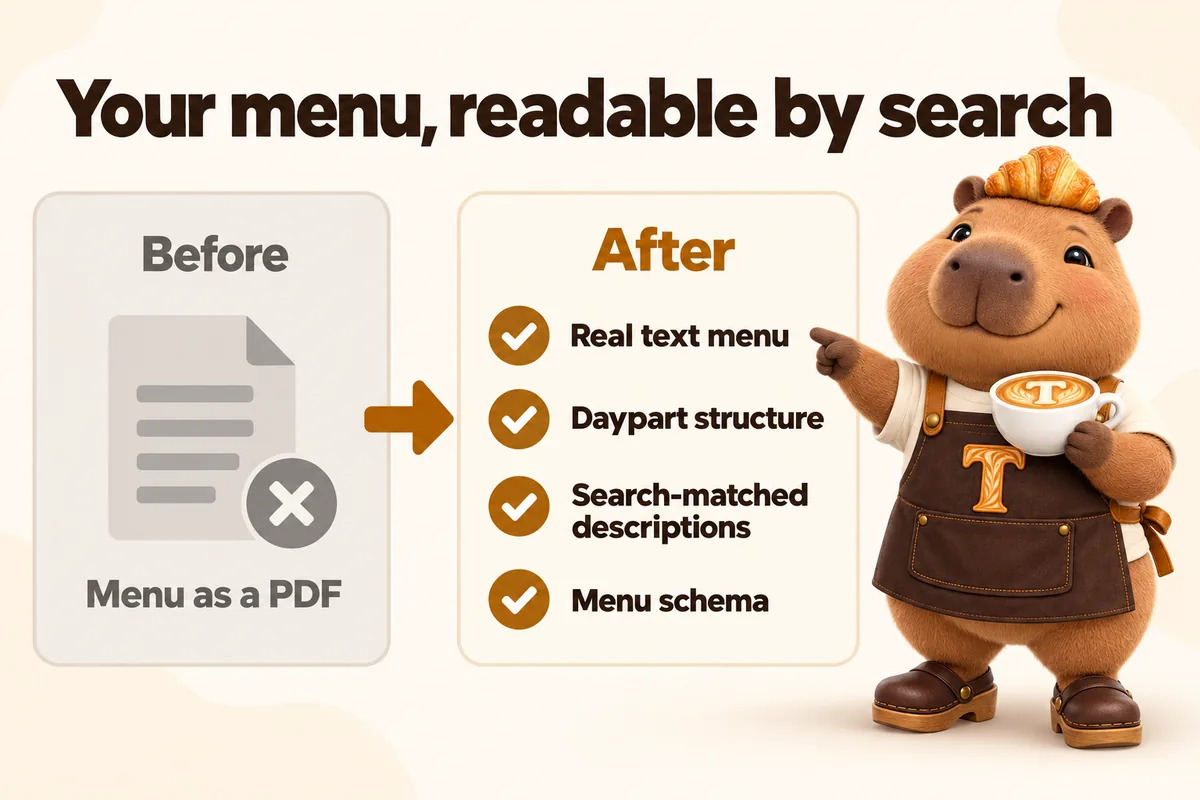
Every item becomes real, readable text on a page, grouped by daypart where that fits.
Short descriptions that use the words people search for, never keyword stuffing.
Menu structured data helps search engines understand items and sections.
Seasonal drinks move to a standing seasonal section instead of vanishing.
Every item as readable, indexable text, not a photo or embedded PDF.
Menu organized by time of day when that matches how you actually sell.
Item descriptions written to match how people actually search, not keyword-stuffed.
Structured data marking up items so search engines parse the menu correctly.
Every plan also includes weekly management, hosting, one domain in your name, 5 revisions a month and researched articles. Full Shift and Open to Close add the AI receptionist, site chat and text replies. See everything in each plan.
Before and after, in general terms. Every menu item and hour shown on this site is example data.
Stated plainly, so nothing surprises you later.
Pricing strategy or menu engineering advice.
Nutrition, calorie or allergen claims. We publish only what you supply.
Syncing prices automatically from your point of sale.
They asked to see the questions customers genuinely ask us about bakery preorders, which I respected. Each answer was reviewed by our own staff, so the page sounds like us rather than a copywriter. I now share a link instead of digging through the outbox.
The old bakery preorders PDF made sense on a printer and nowhere else. Each section has its own link, so answering a question no longer means attaching the whole file. Callers have stopped apologizing for not being able to read it.
The text menu and its markup are live at launch, 7 to 15 days from onboarding depending on plan. Menu edits after launch take 2 to 5 working days.
The $647 build fee is invoiced only after the site is live and you are satisfied with it.
If a page we built falls below 90+ on mobile because of our work, we fix it at no charge.
Not ranking for local searches in your area within 3 to 5 months of launch? We keep doing the search work at no extra charge until you are.
Conditions are in the terms: guarantees do not cover changes made by you or third parties, and the remedy is corrective work rather than a refund.
Menu page SEO is part of every plan, Morning Shift at $117 a month, Full Shift at $247 a month plus AI usage, or Open to Close at $597 a month, plus the $647 one-time build fee, invoiced only after the site is live and approved. A big menu does not cost more. Price and item changes are revisions, 5 a month included, then $20 each.
Want to see coffee shop menu page SEO on your own shop? In a 30-minute demo we show what the site would look like with your menu and hours.
Yes, keep the PDF for printing or in-store use, and we also build the same menu as real page text, which is the version that actually ranks.
As often as you like, as part of your included monthly revisions, turned around within the standard window.
Search engines can read some PDFs, but they rank them poorly, and on a phone a PDF is slow and awkward to read. A text menu page loads fast and can match searches item by item.
Usually not. Most items belong on the menu page. A drink gets its own page only when it is a real reason people come in and people search for it by name.
Yes, if you want it to. Prices are published exactly as you send them and updated by revision.
Only if you supply it. We do not create or check nutrition or allergen information.
A clear, text-based menu with structured data is much easier for AI assistants to read than an image. That makes your shop more likely to be described accurately, with no guarantee of being cited.
Yes. The menu page carries a clear order path to the pickup or delivery platform you already use.
They move to a seasonal section, so the page keeps its search value and people can see when a drink usually returns.
A live walk-through of the site you would get, in about 30 minutes. Plans from $117 a month, the $647 build fee invoiced only after launch, domain and hosting included.
Book a demoOr email and a person replies within one working day.
GetCafeWebsite uses the cookies below. Necessary cookies keep the site working and cannot be turned off.
Saved on this device only. Press Esc to close.