Cafe Website Speed on a Phone: What Actually Makes the Page Slow
The visitor deciding whether to walk in is standing outside on mobile data. What genuinely slows a cafe website down, in order, and what to do about each one.
- Performance
- 11 min read
- 2,634 words
- 5 questions answered
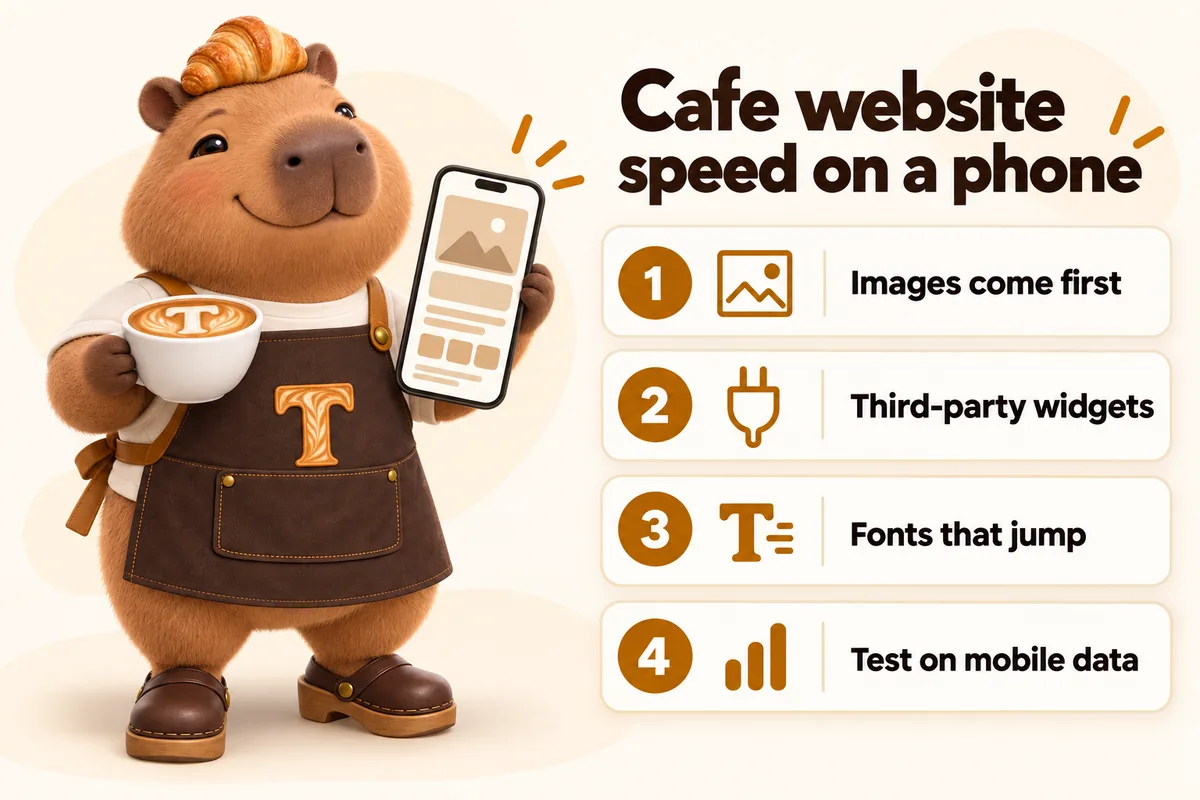
The person deciding whether to walk into your cafe is frequently standing outside it, on mobile data, in daylight, holding a phone one-handed. That is the actual condition under which your website is read, and it is nothing like the condition under which most cafe websites are checked by the people who commissioned them. This is what genuinely makes a page slow under those conditions, in rough order of how much damage each one does, and what to do about them.
What is actually being measured
Before fixing anything it is worth knowing what the measurements mean, because the names are opaque and the advice attached to them is frequently wrong.
Core Web Vitals are three measurements of real user experience. Largest Contentful Paint is how long until the biggest piece of content in the viewport has rendered, which on a cafe page is nearly always the hero image or the menu. Google’s guidance treats 2.5 seconds or less as good. Cumulative Layout Shift is how much the page moves around while it loads. Interaction to Next Paint is how long the page takes to visibly respond after somebody taps something.
Notice what those three describe. Not a score. Not a grade. Whether the thing appeared, whether it stayed still, and whether it responded. Those are exactly the three complaints a person standing outside your window actually has.
One: images
Images are the largest thing on almost every cafe page, and the gap between an unoptimised image and an optimised one is not twenty percent, it is frequently a factor of ten or more.
Why cafe sites are particularly bad at this
Because the photographs are good, and because they come from phones. A modern phone camera produces a file of several megabytes at a resolution several times larger than any phone screen. Uploaded directly, that file gets downloaded in full by every visitor and then scaled down by their browser to fit a screen a fraction of the size. The visitor pays for every pixel they never see.
Multiply by a gallery of twelve and you have a page that is thirty megabytes, on a pavement, on mobile data.
What to do
Resize to the sizes actually used. An image displayed at 800 pixels wide does not need to be 4,000 pixels wide. Several versions at different widths, with the browser picking the right one, is the standard answer.
Convert the format. Format choice is usually the single biggest lever available on an image, and modern formats are dramatically smaller than the ones a camera produces for the same visual quality.
Prioritise the one that matters, defer the rest. Optimising Largest Contentful Paint is largely a matter of making sure the image at the top of the page is discovered early and loaded eagerly, while everything below the fold waits until it is needed. The common mistake is the opposite: lazy-loading everything including the hero, which delays exactly the image being measured.
Always set dimensions. An image without a declared width and height is a hole in the layout that suddenly fills, pushing everything below it down. That is the main cause of layout shift on content sites and it is completely preventable.
The case to leave alone
One caution specific to bakeries. Do not compress the case and item photographs so hard that the product looks bad. The point of the image is to sell the thing. The correct answer is a properly sized, properly converted image at good quality, which is still a small fraction of the original file, not a heavily degraded one.
Two: third-party widgets
This is the category owners consistently underestimate, because a widget is one line of code and looks like nothing.
What a widget actually does is load code from somebody else’s server, which then loads more code, which then loads images and fonts and tracking, all of it outside your control and none of it optimised for your page. A single embedded social feed can outweigh every image on the page combined.
The usual suspects on a cafe site
An embedded social feed. Almost never worth it. It loads a large amount of third-party code to show four photographs that go stale, and it puts a competitor for attention in the middle of your own page. Link to the profile instead.
An embedded map. Rarely worth it. What the visitor wants is directions in their own maps app, which is a link. A static map image with a link achieves the identical outcome at a tiny fraction of the weight, and avoids loading third-party code on every view of the page.
Review widgets. A widget that fetches and renders reviews live is a lot of machinery for text that changes weekly at most. Quote the reviews as text on the page.
Chat widgets. These are frequently the heaviest thing on a small business site, and on a cafe site the chat is often unstaffed. If nobody is answering it during service, it is pure weight.
Ordering and booking widgets. These are the ones that genuinely earn their place, because they do real work. Load them on the page that needs them, not site-wide, and where possible load them only when the visitor actually indicates they want to order.
The rule
Every third-party script has to justify itself by doing something the page could not otherwise do. Decoration does not qualify. The test is simple: remove it for a week and see whether anybody notices.
Three: fonts
Fonts cause two separate problems and it is worth separating them.
The first is weight. A site loading four families at six weights each is downloading a great deal of font data before the text it applies to can be styled.
The second is shift. Text rendered in a fallback font and then re-rendered in the real one changes size and reflows, which moves everything around it. On a phone, this is why somebody taps a link and hits the one below it.
Font best practices covers the mechanics. The practical summary for a small site: load two families at most, only the weights actually used, with a fallback stack chosen to be close in metrics to the real font, and with the font swapping in rather than blocking the text from appearing at all.
A site that uses one display face for headings and one text face for body copy, at two or three weights total, is both the better typographic decision and the faster one. That is a pleasant coincidence and it is worth taking.
Four: everything else
Smaller, but they add up.
Video backgrounds. A video behind a hero is a large download to convey an atmosphere a photograph conveys. On a phone, on data, it is indefensible.
Carousels and sliders. A carousel loads every slide’s image to show the first one, unless it is built carefully, which most are not. It is also a pattern people largely ignore.
Analytics stacked on analytics. Two analytics tools, a heatmap recorder and three advertising pixels is a common accumulation on a site that has had several agencies. Each is a script. Audit them once a year and remove what nobody reads.
Animation that runs constantly. Motion that never stops keeps the device working and drains battery on a phone. Animation triggered by scrolling into view, and stopped when out of view, does the same job for almost nothing.
What slowness actually costs a cafe
It helps to be concrete about the mechanism, because “speed matters” is advice nobody acts on.
A person searching for a coffee shop near them is not reading one website. They are opening two or three results in quick succession and making a decision in well under a minute. In that context a slow page does not annoy somebody; it removes you from the comparison before you were in it. They are back at the results before your hero image has finished arriving.
The second cost is more specific to food. The pages that matter most on a cafe site are the menu and the location page, and both are consulted under time pressure. Somebody checking the menu is deciding whether to walk two more streets. Somebody checking the location page is already walking. Neither of them will wait, and neither of them will come back later to try again.
The third cost is compounding rather than immediate. A site that is slow on a phone is a site that performs worse in search over time, because the measurements described above are collected from real visits. That is a slower and less visible penalty than losing the walk-in, but it applies to every future visitor rather than just today’s.
None of that requires a percentage to be persuasive. The person outside your window with a phone is the whole argument.
Hosting, caching and the things people fix instead
When a site is slow, the first suggestions are usually about hosting and caching. Both matter, and neither is usually the problem on an independent cafe site.
Hosting matters in one specific way: how long the server takes to send the first byte of the page, and how far it has to travel. A site served from a content network close to the visitor starts faster than one served from a single machine on another continent, and this is worth having. It is also largely a solved problem, included in most decent arrangements, and not usually where a slow cafe site is losing its seconds.
Caching matters for repeat visitors and does nothing for the first-time visitor standing outside, who is precisely the person you are trying to win.
What actually accounts for the seconds on the sites we measure is the same short list every time: a very large hero image, a handful of third-party scripts, and fonts. Those three explain the overwhelming majority of the difference between a cafe site that feels instant and one that does not, and none of the three are fixed by changing host.
This matters because the expensive suggestion is usually the wrong one. Moving hosts is disruptive and rarely the fix. Deleting an embedded feed takes a minute and frequently halves the page weight.
How to test it properly
Most speed testing is done wrong in a way that hides exactly the problem you are trying to find.
Test on a phone, not a laptop. A desktop browser on a fast connection will make almost any page look acceptable.
Test on mobile data, not the shop wifi. Your wifi is fast and close. The visitor’s connection is neither.
Test outdoors, in daylight. This catches contrast problems as well as speed problems, and both matter to somebody standing outside.
Test the pages people actually land on. Which for a cafe is usually the menu page and the location page, not the homepage. Check the analytics rather than assuming.
Test after you add something. Most sites get slow gradually, one widget at a time, and nobody re-tests because nothing felt like a big change.
Lab tools are useful for diagnosing which element is the problem, and the guidance pages linked throughout this article explain how to read them. But the definitive test for a cafe is the one you can do in two minutes by standing on your own pavement with your own phone.
What to fix first
In order, because this is a business and not an infrastructure project.
First, the hero image on the pages people land on. Biggest effect, least effort, and it is usually the element Largest Contentful Paint is measuring.
Second, remove the widgets that do no work. The social feed, the map embed, the unstaffed chat. Each removal is instant and free.
Third, set dimensions on every image. Removes most layout shift, which removes the mis-taps.
Fourth, cut the fonts back. Two families, the weights you use.
Fifth, everything below the fold loads lazily. Including the gallery.
That list, done properly, gets most independent cafe sites from uncomfortable to genuinely quick. None of it is exotic and none of it requires rebuilding anything. It requires treating the page as something that gets opened on a pavement in the rain rather than something that gets reviewed on a large screen in an office, because the pavement is where the decision actually gets made.
The three pages worth measuring
Measuring every page is how a speed review turns into a project that never finishes. Three pages carry almost all of the value on a cafe site.
The menu page. Usually the most visited page after the homepage, and frequently the landing page, because it matches what people search. It is also the page most likely to be heavy, since it is where the item photographs live. If you fix one page, fix this one.
The location or contact page. The page consulted under the most time pressure, by somebody who is already moving. It should be close to instant, and it usually is not, because it is where the embedded map lives.
The homepage. Important, but less than most owners assume, because a large share of visitors never see it. Fix it third.
For each of the three, the useful measurements are the ones described earlier: how long until the main content appears, whether anything moves while loading, and whether a tap gets an immediate response. Take those on a phone, on mobile data, twice: once before a change and once after, so you know whether the change helped rather than assuming it did.
One practical note on interpreting the results. A single slow reading is not a verdict, because networks vary. Three readings that agree are. And a page that measures well in a lab tool but feels slow in your hand is telling you something true about your visitors’ conditions and something misleading about the tool.
Speed is not separate from the rest of the site
One last point, because it is easy to treat performance as a technical concern bolted onto a design.
Nearly every decision in this article is also a design decision. Fewer fonts is a better typographic system. Fewer widgets is a less cluttered page. Properly sized images are images that look right rather than being scaled by a browser. Reserved space for images is a layout that does not jump. A static map with a link is a clearer instruction than an interactive map somebody has to pinch.
A fast cafe website and a well-made one are, in practice, almost the same artefact. That is why speed is worth treating as a standard the build meets rather than a project to run afterwards.
Sources
Frequently asked questions
What is the single biggest cause of a slow cafe website?
Images, almost always. A hero photograph straight off a phone can be several megabytes, and it is usually the element Largest Contentful Paint is measuring, so it decides whether the page feels fast at the exact moment somebody is choosing whether to wait.
How fast does a cafe website actually need to be?
Google's Core Web Vitals guidance treats a Largest Contentful Paint of 2.5 seconds or less as good. For a cafe that number matters more than for most businesses, because the visitor is frequently standing on the pavement on mobile data deciding whether to come in.
Do social media and reservation widgets slow a site down?
Yes, and more than most owners expect, because each one loads code from somebody else's server that you do not control. One embedded feed can outweigh every image on the page. Link out instead of embedding wherever the embed is not doing real work.
Is an embedded map worth the weight?
Rarely on a cafe site. A static image of the map with a link that opens the visitor's own maps app gives them the same outcome, loads in a fraction of the time, and avoids loading a third-party script on every page view.
Why does my page jump around while it loads?
Something is being inserted without space reserved for it, usually an image without dimensions, a late-loading font, or a banner. That is Cumulative Layout Shift, and on a phone it is the reason people tap the wrong thing.
Want a site like the one described here? Book a demo with GetCafeWebsite.