Photograph a Cafe for Its Website in One Morning
A shot list, a light plan and a file routine for photographing a cafe, coffee shop or bakery well enough for a website, using the morning you already work.
- Launch prep
- 11 min read
- 2,587 words
- 5 questions answered
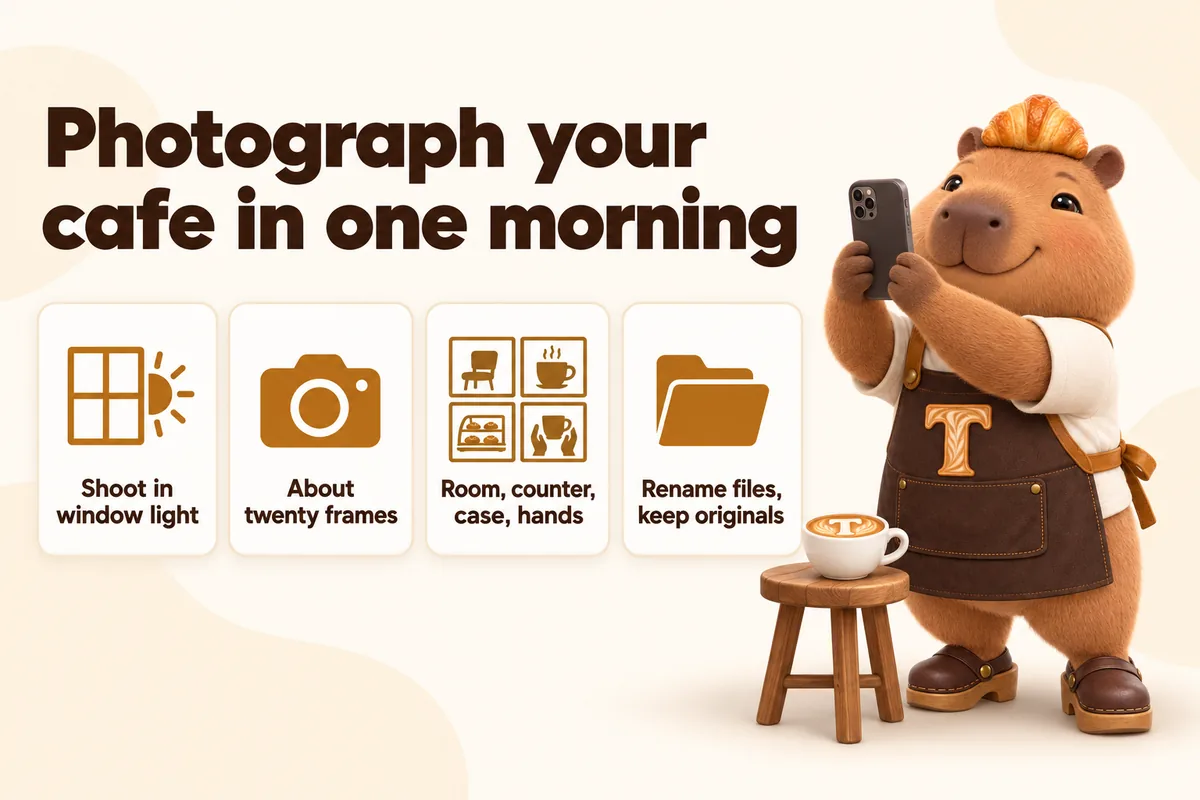
You can photograph a cafe well enough for its own website in a single morning, using the light you already have and the phone in your apron. The reason most independent cafe websites look worse than the shop does is not equipment. It is that the photos were taken at the wrong time of day, of the wrong things, in the wrong order, and then uploaded at whatever size the camera happened to produce. This guide is the routine we give owners before a build: what to shoot, when to shoot it, what to skip entirely, and what to do with the files afterwards so the site stays fast.
Why the morning is the only time worth shooting
Morning light through a window is soft, directional and roughly neutral in colour, which is exactly what food needs and exactly what your shop’s ceiling lights are not. Most cafes and bakeries are lit with warm artificial light chosen to make the room feel cosy at 4pm. That same light gives a croissant an orange cast and a flat white a green one, and mixed light sources in the same frame, daylight from the window and tungsten from above, produce a colour cast that cannot be corrected in any editing app without wrecking something else.
There is a second reason, and it is operational rather than visual. In the first two hours after opening, the case is full, the counter is clean, the pastries have not been picked over and the room has not yet accumulated the used cups and pushed-around chairs of a full trading day. You are photographing the shop at the moment it looks the way you want people to imagine it.
The practical version of this is simple. Pick a weekday when you have an extra pair of hands. Open as normal. Between the first wave and the mid-morning lull, spend thirty to forty minutes with the phone. That is genuinely enough time if you know the list before you start, which is the entire point of the next section.
Turn off what you can, open what you can
Before the first frame, do three things. Switch off any overhead lights in the area you are shooting, or at least the ones directly above the subject. Open blinds or curtains fully. Move the subject to within about a metre and a half of the window, which is where the light is still soft but has not fallen off into shadow.
If your shop has no usable window light at all, which happens in basements, kiosks and some drive-thru builds, shoot outside or by the door instead. A tray carried into the doorway for ninety seconds produces a better image than the same tray photographed under a spotlight.
The twenty-frame shot list
A website needs far fewer photos than people expect. Here is the list, in shooting order, because the order minimises how many times you set something up and take it down again.
One: the room, wide, empty of faces
One frame of the room from the doorway or from the corner that shows the most depth. Shoot it at standing height, not from a chair. This is the image a visitor uses to answer the question “would I want to sit in there”, and it wants to show seating, light and how much space there is, not styling.
Take three or four versions from slightly different positions. You will pick one. Do not put a person in it: a wide room shot with one posed customer in it reads as a stock photo, and an empty room at 8am reads as honest.
Two and three: the counter, from a customer’s eye line
Two frames of the counter from roughly where someone stands to order. One that includes the whole counter and one closer in on the part of it that matters most, which is usually the case or the espresso machine. This is the picture that tells a first-time visitor what kind of place this is faster than any paragraph.
Keep the till receipt roll, the card reader cable and the box of gloves out of frame. Not because the site should be dishonest, but because a photograph flattens everything to the same level of importance, and a cable reads much louder in a picture than it does in the room.
Four: the case, straight on and slightly above
If you have a display case, this is the single most valuable frame on the whole list, particularly for bakeries. Shoot it straight on and from very slightly above the level of the top shelf, so the contents of each shelf are visible rather than foreshortened into a line.
Wipe the glass first. Fingerprints on the case are invisible in person and enormous in a photograph.
Five to fourteen: the items, one setup, many subjects
This is where most of the shooting time goes and where most of it is wasted if you are not organised. Set up one spot near the window: a small table or a board with a surface you like, positioned so the light comes from the side or slightly behind the subject rather than from the camera’s direction. Then bring items to that spot one after another and shoot each in the same way.
Shoot six to ten items. Choose them like this:
- The three or four things you sell most of. These are what people search for and what they will order.
- Two or three things that are genuinely hard to picture from the name alone. Nobody needs a photograph of a black coffee. Somebody does need one of the thing you call a “morning bun”.
- Anything seasonal or high margin you want to push this quarter.
For each item, take a straight-on frame at roughly plate height and one from about forty-five degrees. Two frames per item, ten items, is twenty exposures and about twelve minutes of work. Resist the urge to build a scene around each one. A cup, a plate, a surface and good light is the whole recipe, and props date a photograph faster than anything else.
Fifteen to seventeen: hands and work
Three frames of something being made, poured, pulled or wrapped, shot close enough that the person is hands and forearms rather than a face. These are the images that make a cafe website feel like a real business instead of a template, and because nobody is identifiable you avoid the whole question of whether a member of staff who left in March is still on the homepage in November.
Good candidates: a pour into a cup, a portafilter being knocked out, a bag being folded and taped, a tray coming out, a knife going through something laminated.
Eighteen and nineteen: the outside, sign readable
Two frames of your own frontage, from across the street if you can safely stand there, with the sign legible. Shoot these last, when the light has come round enough to hit the front of the building, or shoot them on a different morning if your frontage faces the wrong way.
This is the image that does the most work in local search results and on a map listing, because it is the one that lets somebody standing on the pavement match the picture to the building. Google’s own guidance on business photos is built around the same idea: the exterior image is what helps a person find you.
Twenty: one detail
One close frame of something small and specific to you. The tiling, the hand-written board, the stamp on the bag, the pattern on the cups. This is the image that gets used as a section background or a small accent throughout the site, and having exactly one of them is much better than having none.
What not to photograph
Three categories waste time and make sites worse.
Every menu line. A photo beside every single item makes a menu page slow, makes it look like a chain, and creates an obligation to reshoot every time you change a recipe. Photograph the items that need showing and let the rest be words.
Staff portraits, unless you mean it. A wall of smiling posed portraits ages badly and creates an awkward job every time somebody leaves. If you want people on the site, the hands-and-work frames do the same job permanently.
Anything you would need a release for. Customers sitting at tables, recognisable faces in the background, other people’s children. Shooting before the room fills up avoids this entirely, which is another reason the early morning is the right window.
The file routine that saves you money later
What happens after the shooting is what separates a photo library that is still useful in three years from a folder called “new photos final 2” that nobody can navigate.
Rename while it is fresh
Rename every keeper the same morning, while you still remember what it was. A pattern that works: subject-detail-context.jpg. So case-front-morning.jpg, morning-bun-45deg.jpg, exterior-sign-street.jpg, pour-latte-hands.jpg.
This matters because the alt text, the file name and the eventual caption all end up describing the same thing, and a descriptive file name is the cheapest possible head start on all three. It also means that when you send us a replacement eighteen months later, “swap the case photo” is an unambiguous instruction rather than a conversation.
Keep the originals, send the originals
Do not resize or compress anything before sending it. Send the largest version your phone produced. Resizing, cropping and format conversion are jobs for the build, and they are jobs that get done once and done properly there. A photo that has been shrunk, emailed, saved from the email, and shrunk again has lost detail that cannot come back.
Understand what happens to them next
On the build side, every image gets three things done to it. It gets resized into several widths so a phone downloads a phone-sized file rather than a desktop-sized one, which is what responsive image serving exists to do. It gets converted to a modern format, because format choice is usually worth more than any other single image optimisation. And it gets real alt text.
That last one is not decoration. The accessibility requirement for non-text content is that an image carrying information has a text alternative serving the same purpose. For a cafe that means “the display case, filled with morning pastries” rather than “IMG_4471” or, worse, a keyword-stuffed line that helps nobody.
Shooting for the parts of the site that are not the homepage
Most photo advice assumes the homepage is the destination. For a cafe or bakery it usually is not: the menu page, the location page and the ordering page all get more traffic once the site has been live for a season. Each wants something slightly different.
The menu page wants the item frames and nothing else. No room shots, no atmosphere. Someone on this page has already decided to come; they are deciding what to get.
The location page wants the exterior with the sign, and ideally one frame that shows the door and whatever landmark sits next to it. Somebody reading this page is holding a phone and looking for your building.
The ordering or pre-order page wants the item frames again, plus one frame of the packaging. For bakeries taking custom orders this is disproportionately useful, because “what will it actually look like when I collect it” is the question the page exists to answer.
Any page about wholesale or subscriptions wants the bag, the box or the crate, shot plainly. This is business-to-business content and it wants to look competent rather than charming.
When a professional is worth it
Book one when two things are true at the same time: the site is already earning, and you have something that genuinely cannot be shot on a phone. A dark evening room, a full plated menu, a rebrand that needs consistent styling across forty items, or product photography for a wholesale line all justify the money.
The order matters. Launch on your own morning photos, run the site for a season, find out from the actual traffic which pages people use, and then spend the photography budget on those specific pages. Doing it the other way round means paying for images of pages you later discover nobody visits, which is a common and expensive way to start.
The one-morning schedule
Here is the whole thing compressed into a working plan.
The night before: clean the case glass, decide the ten items, check the weather for the exterior shots, clear the memory on the phone.
On opening: trade as normal. Do not try to shoot during the first rush.
Thirty minutes after the rush breaks: turn off the lights over the counter, open the blinds, shoot the room, the counter and the case. Ten minutes.
Immediately after: set up the item spot by the window and run the items through it one at a time. Twelve minutes.
Then: the hands-at-work frames while somebody is actually working. Five minutes.
Last, when the light comes round: step outside and shoot the frontage. Five minutes.
Same day, before you forget: rename the keepers, delete the rest, and put the folder somewhere it will not be lost.
Thirty-two minutes of shooting, a few minutes of filing, and you have every photograph a website needs. The morning you already work is the morning that gets it done.
What this looks like on a finished site
A cafe site built from twenty good frames uses them roughly like this: the room shot and one counter shot carry the homepage, the case shot anchors the menu page, six to eight item frames sit beside the items that need them, the hands frames break up longer pages, the exterior sits on the location page and in the map listing, and the detail frame gets reused quietly across section backgrounds and small accents.
That is a complete, fast, honest site. It is not built on a photo shoot. It is built on one organised morning and a file naming habit, and every shop that pours coffee before eight already has both.
Sources
Frequently asked questions
Do I need a professional photographer before my cafe website can launch?
No. A recent phone camera in good window light produces images that are good enough for a website launch, and a site that waits for a photo shoot usually waits months. Book the photographer later, once the site is earning, and swap the images in as a revision.
How many photos does a cafe website actually need?
Around twenty usable frames covers a normal build: one wide room shot, two or three counter shots, six to ten item shots, two or three people-at-work shots, one exterior with the sign readable, and a couple of detail shots. More than that tends to sit unused.
Should I photograph every item on the menu?
No. Photograph the items people order most, the items that are hardest to describe in words, and anything seasonal you want to push. A menu where every line has a picture reads like a chain and loads slowly.
What is the single most common photo mistake on cafe websites?
Shooting under the shop's own ceiling lights after dark. Mixed artificial light gives food an orange or green cast that no amount of editing fully removes, and it is the reason so many independent cafe photos look worse than the shop does.
Does photo file size really matter for a cafe website?
Yes. Images are usually the largest thing on a page, and the visitor deciding whether to walk in is often on a phone on mobile data outside your window. Google's own guidance on Largest Contentful Paint treats the main image as the element most likely to decide whether a page feels fast.
Want a site like the one described here? Book a demo with GetCafeWebsite.